The form is where a website stops being a brochure and starts being a business. It is the enquiry, the booking, the application, the payment. Much of the work on a commercial website exists to get somebody to it. Yet web form validation can still be the least considered part of the build - the place where a person who had already decided to say yes is told that their name contains an invalid character, and quietly goes somewhere else.
- “What's an invalid character?”
- Why it happens, and why nobody fixes it
- The invisible errors
- The rule: clean safely, then validate
- UK postcodes: clean first, then validate
- Error messages that name the problem
- The one failure nobody forgives
- You cannot proofread a form
- Ten minutes: test your own form tonight
- What it costs, and why nobody knows
- What we are not claiming
- Our position
“What's an invalid character?”
A friend was booking a flight the other night. She filled in the form, pressed continue, and the site told her that her name contained an invalid character. She read it twice, looked at her own first name, and asked me what an invalid character was - she thought I meant somebody from a Disney film.
She was right to be confused. Her name was correct. What the form objected to was a single space after it, picked up from wherever she had copied it, invisible on the screen and impossible to see even when you look straight at the field. The form was strict enough to reject it, but not helpful enough to explain it. It could have trimmed that space before checking the name. Instead it handed the problem back to a paying customer in language that means nothing outside a codebase.
She also got told her postcode could not contain a space. It is a UK postcode. It has a space in it. That is how everybody writes it, how the Post Office prints it and how it appears on her bank statement.
None of this is unusual, and that is the point of this post. These are not small sites built on a shoestring. You can meet a form like this on a large, well-funded website with a design team, a research budget and somebody testing the colour of the buttons.
If a stray space can be removed without changing what somebody means, remove it and let them carry on. Validate the cleaned value. Explain only the problems that still need their attention.

Why it happens, and why nobody fixes it
It is worth being fair about the cause, because it is almost never carelessness.
Validation gets written at the moment somebody is building the form, and the task in their head is a reasonable one: stop bad data reaching the database. At that moment, rejecting works. The bad data does not get in. The question of what happens to the person on the other side is somebody else's job, and quite often nobody has that job.
Then the rule ships, and something else takes over. Removing validation feels risky in a way that adding it never does. If you take a rule out and something breaks, that is on you; if you leave it in and customers leave, nobody will ever know. So the rule survives. Anyone who questions it gets told that is just how it is, and because the person asking usually cannot see the code, that is where the conversation ends.
There is a technical habit underneath it too. Validation often starts with a pattern test that answers yes or no. If that is the only step, rejection is the only help it can offer. Cleaning the value first is a different instinct: transform, then check, then complain only about what is left. A simple fix may need very little code. The harder part is deciding which changes are safe, and testing them properly.
The invisible errors
The cruellest failures are the ones the person cannot see. They are told something is wrong, they look at the field, and it is right. Here are the ones that come up again and again:
- A space at the beginning or end of a name. A trailing space is easy to pick up when copying and usually safe to trim. Spaces within a name can be meaningful and should be preserved.
- A UK postcode with or without its space. People type both. A form can accept either, check the postcode and display it with the conventional space.
- A phone number with spaces, brackets or a country code. That is how phone numbers are written on business cards, invoices and the back of vans. Interpret them using the country context, rather than guessing which digits to remove.
- A card number with spaces in it, because that is how it is printed on the card. The payment provider's own card fields should handle that formatting.
- An email address with a capital letter, or with a space that came along for the ride when it was copied out of an email.
- A curly apostrophe in a surname, because the person pasted it from a document rather than typing it.
- Zero-width and non-breaking characters, which can arrive when copying from a document or a web page. Some are accidental formatting; others matter to how a language is written. They need different treatment.
- An accent or a non-Latin character in a real name. Rejecting these is not a formatting decision. It tells somebody their name is not acceptable.
The common mistake is treating an unfamiliar input as a careless customer. Some values need tidying; others need to be accepted exactly as they are. The GOV.UK guidance on names makes the same practical point: support the characters your users need, and do not assume every name fits a first-name, last-name template.

The rule: clean safely, then validate
A useful principle is simple: accept harmless variations in formatting, then check that the value is usable. That does not mean accepting anything. It means knowing the difference between tidying a value and changing it.
In practice that means three steps in this order:
- Clean safely. Apply rules for that particular field: trim accidental spaces around a name, for example, or standardise a UK postcode. Do not run one blanket cleanup rule over every answer.
- Then check. Validate the cleaned value, including on the server. A browser check can help the person, but it can be bypassed.
- Then explain. If a problem remains, say what needs attention and how to fix it. Keep the rest of the answers.
The database still gets a checked value - that was the original goal. The difference is who does the tidying. A computer is very good at removing a trailing space. A human being cannot even see one.
The limits matter. Do not change somebody's capitals, strip their accents or collapse meaningful spaces in their name. Do not silently alter a password. With email addresses, trim accidental outer whitespace but preserve the part before the at-sign; lowercasing the domain is a different operation. And do not delete every invisible Unicode character: joiners can affect how text is written. If a change would require guessing what somebody meant, ask them instead.
UK postcodes: clean first, then validate
A UK postcode is a good example because its spacing and letter case can be standardised without guessing a different address. For a UK postcode field, the sequence is:
- remove ordinary spaces and known pasted whitespace, including non-breaking spaces;
- make the letters upper case, then check the remaining value against a suitable UK postcode rule;
- if it passes, put a single space back in three characters from the end for display.
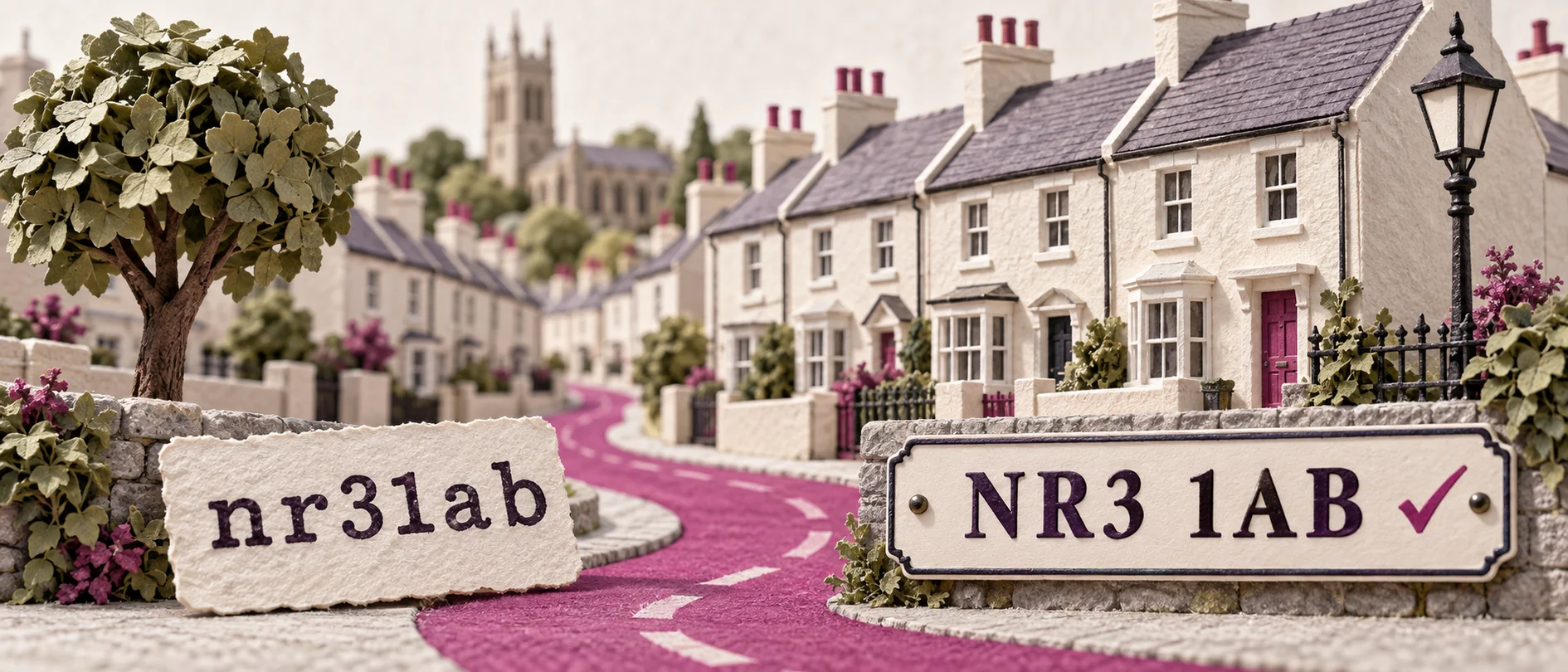
That handles NR3 1AB, nr31ab, nr3 1ab, and the version somebody pasted out of an email with an invisible non-breaking space in the middle. All four can reach the same formatted value. Nobody has to work out what they did wrong, because they did not do anything wrong.
Formatting is not proof that a postcode exists or belongs to the address. An address lookup can help where that matters, with a way to enter an address manually if the lookup falls short. And do not simply strip every punctuation mark: an unexpected character may be a mistake that needs explaining.
If the business genuinely needs the postcode stored without a space, store it without a space. That is a decision about the database, and there is no reason for the customer to be involved in it.
“We don't want a space in the database” is a reason to remove the space, not a reason to ask the customer to.
Error messages that name the problem
Some things genuinely do have to be rejected. A required field left empty. A booking date in the past when future bookings are required. A payment that has been declined. What matters then is whether the message is written for the person or for the code.
“Invalid character” is written for the code. It names a rule, not a problem, and it uses a word that means something specific to a developer and something else entirely to everybody else. Compare:
- For a trailing space in a name, remove it before checking. A clearer error would be better than “Invalid character”, but no error is needed here.
- Instead of “Postcode format not recognised” - say “That does not look like a UK postcode. It should look like NR3 1AB.”
- Instead of “Field validation failed” - say “Enter your email address so we can reply.” when that required field is empty.
The test we use is simple, and you can apply it to any message on your own site: could somebody act on this without asking anyone? If they would have to ring you, or guess, or go and find a person who knows what the site means, the message has failed - however technically accurate it is.
Show the error next to its field and, for a longer form, in a summary with links to the affected fields. Make it available to screen readers; a red border alone is not an explanation. The W3C guidance on form notifications shows how to connect the message to the field. Once an error is fixed, clear it so the person can see what remains.
The one failure nobody forgives
Everything above is an irritation. There is one failure that is worse than all of them together, and it still happens on serious websites: the form comes back with an error and everything else the person typed has gone.
Somebody has spent four minutes entering an address, a date of birth, a set of preferences. One field is wrong. The page reloads empty, or half empty, and now they have to do it all again to find out whether they have fixed it. That is the moment people give up, and they are entirely right to.

Preserving ordinary answers should be part of the build and its testing, not a last-week extra. Handle sensitive fields separately: do not echo passwords or card security codes back into the page, and explain clearly if a file needs selecting again.
Long applications may need a secure save-and-return option, with a clear explanation of what is saved and for how long. On submission, show that something is happening and give a definite confirmation or a useful next step if it fails. A disabled button can discourage repeat clicks; it cannot guarantee a single payment. The server and payment integration must handle retries safely, using mechanisms such as idempotency keys so the same operation is not performed twice.
You cannot proofread a form
Here is the part that explains why this survives on sites where everything else has been checked twice.
A client will go through the copy line by line. They will find the typo on the third page, argue about a heading, rewrite a paragraph on a Sunday evening. They can do that because they know what good copy looks like and they can see when it is wrong.
Then they reach the form, and there is nothing to have an opinion about. The fields are labelled. The button is the right colour. It looks finished. Reviewing it properly would mean trying ordinary variations as well as deliberate mistakes to find out what happens - which is not an obvious thing to do, and feels a little like trying to break something you have just paid for. So it gets tested once, with the client's own correct details, it works, and it is signed off.
After that it sits outside their sphere of influence entirely. The copy is theirs; the form belongs to the technical side. They trust that it works because it worked when they tried it, and there is no reason on the face of it to think otherwise.
And when it does fail, the business may hear nothing. A typo on the home page is easy for a customer, friend or colleague to report. Someone blocked by a form may simply leave. Unless somebody is reviewing validation failures and completion rates, the business can miss the problem entirely.
Which is why the test below matters. You can proofread a page. You cannot proofread a form - you have to break it on purpose. And that is the supplier's job, not the client's: nobody should be expected to know that an invisible space is a category of failure. Checking those cases needs to be somebody's named responsibility before launch.
Copy gets reviewed because it can be read. A form also needs to be reviewed by testing ordinary variations and deliberate mistakes - so unless someone is asked to do that before launch, the first person to test it properly is a customer.
Ten minutes: test your own form tonight
You do not need a developer to do this, and you do not need to understand any of the code. Open your own enquiry form and try these. For bookings or payments, use a test environment or the provider's test mode so the exercise cannot create a real order or charge.

- Type your postcode without a space. Then with one. Both should be accepted.
- Put a space after your first name - press the space bar once at the end - and submit. It should be removed without making you correct an invisible mistake.
- Paste your address in from an email rather than typing it. Copying can carry invisible characters with it. See what happens.
- Use an apostrophe in a surname - O'Brien, D'Souza. Try a curly apostrophe too, and an accented name such as José. These should not be rejected just for their punctuation or accents.
- Type a phone number with spaces or brackets, exactly as it appears on your own business card.
- Deliberately get one field wrong and submit. Then look at everything else you typed. Is it still there?
- Read the error message and ask the question: could a customer act on this without ringing you?
- Try the whole thing on your phone, on mobile data rather than the office wi-fi. Check that the keyboards suit the fields and autofill works. Then try a desktop pass using only Tab, Shift+Tab and Enter: can you reach the fields, errors and submit button?
- Then actually submit it, and check the enquiry arrives, at the right address, with the message intact.
A failed check gives you a specific problem to take to your supplier. Some fixes are small; others expose a limitation in the platform or payment integration. This is a useful first check, not a full accessibility or security audit.
What it costs, and why nobody knows
Here is the uncomfortable part. A business can spend a great deal of money on a website - the design, the photography, the copy, the advertising to bring people to it - and then lose a share of the people who arrive ready to buy, at the very last step, to a rule that could be a line of code.
A basic sales or enquiry report will not tell you how many people tried and failed. It counts the messages or orders that arrived. Unless you also measure what happens before submission, an avoidable validation problem can sit outside that view for years.
You can investigate it. Count form starts, successful submissions and failures by field and rule, without recording what people typed into analytics. Look for repeated errors followed by abandonment. A high error count is a reason to investigate, not proof the rule is wrong: genuine mistakes and automated spam can trigger it too. Check the affected cases, improve the form and compare completion afterwards.

What we are not claiming
We are not claiming validation is bad. Data has to be usable, and some things genuinely must be rejected. The argument is about what happens first - clean what can be cleaned, and only then check.
We are not claiming the people who build these forms are careless. A competent developer working at speed can solve the database problem and still miss the customer's experience. The gap is in who owns the other half of the transaction.
We are not claiming a friendly form fixes a bad offer. If the price is wrong or the product is not right, no amount of tidying will help. This is about not losing the people who had already decided.
We are not claiming our forms are perfect. We will ship a rule that is too strict at some point - everybody does. What matters is investigating the report, agreeing the fix and testing it, rather than defending it as just how it is.
And we are not going to put a figure on what this costs you. Your own completion data is what matters. A general checkout-abandonment figure cannot tell us how many people your particular validation rules turn away. Inventing a percentage would be exactly the sort of claim this blog exists to avoid.
Our position
We build forms on our own platform, which means the rules live in one place rather than being written afresh on every site. That lets us apply a consistent standard: tidy harmless formatting before validation, keep the apostrophes, accents and capitals in names, and preserve ordinary answers when a form needs correcting. Where an original value needs to be retained for a particular business purpose, that should be a deliberate decision with appropriate access and retention controls, not a blanket copy of everything somebody types.
The practical benefit of owning the platform is that we can reuse an improvement across the sites that share it. When we learn something new - another legitimate name format, another way somebody enters an address - we can improve the shared rules and test the change before rolling it out to the sites that use them. Nobody has to remember to do it on their form.
And the messages get the same attention as the code. If a form has to say no, it should say what is wrong, where, and what would fix it, in words a person can act on without ringing anybody.
If you want a second opinion on your own form, run the ten-minute test above. If something on the list fails and you are not sure why, send us the page address and we will tell you plainly what is happening and how big a job it is to put right. It is usually smaller than you would expect - and it is one of the few places where somebody is actively trying to become your customer.