"Accessible" sounds like a nice-to-have - a box larger organisations tick out of duty. It is not. An accessible website is simply one that everyone can use: the person navigating by keyboard, the person with a screen reader, the person turning the text size up on a bright day. Get it right and you reach more people and shut fewer of them out. Get it wrong and, for a growing number of organisations in Norfolk, you are also breaking the law. Here is what accessible web design actually means, who needs it, and how to tell - today, for free - whether your own site measures up.
What accessible web design actually means
Accessible web design means building a website so that people with disabilities can use it as fully as anyone else - and, in practice, so that everyone has an easier time. That covers a wide range of people: someone who is blind or has low vision and uses a screen reader; someone who cannot use a mouse and navigates entirely by keyboard; someone who enlarges the text; someone with a motor condition who needs larger targets to tap; someone with dyslexia or a cognitive difference who needs clear structure and plain language; someone who is deaf and needs captions on video.
It is not a separate "accessible version" of the site. Done properly, accessibility is baked into the one site everybody uses - the same pages, working better for more people. And the techniques that help disabled users tend to help everyone: clear headings, good contrast, fast pages, sensible forms. Accessible design is, mostly, just good design done thoroughly.
WCAG 2.2 AA, in plain English
The international standard for web accessibility is WCAG - the Web Content Accessibility Guidelines, published by the W3C, the body that stewards the standards of the web. The current version is WCAG 2.2, published in October 2023. It sets out dozens of specific, testable success criteria across four principles, summarised as POUR: content should be Perceivable, Operable, Understandable and Robust.
WCAG has three conformance levels: A (the minimum), AA (the level almost everyone means when they say "accessible") and AAA (a stricter tier the W3C itself does not recommend as a blanket target for whole sites). AA is the level that matters commercially and legally. When an organisation asks whether your site is accessible, they almost always mean: does it meet WCAG 2.2 AA? In practice AA covers sufficient colour contrast, full keyboard operation, visible focus, resizable text, labelled forms, sensible headings, and content that never relies on colour alone.
Who legally needs it in Norfolk
Two things make accessibility a legal matter in the UK, not just a courtesy.
First, the Public Sector Bodies Accessibility Regulations 2018. These require public-sector websites and apps to meet WCAG AA and to publish an accessibility statement. In Norfolk that sweeps in a great deal: the county and district councils, NHS trusts and GP federations, the universities and colleges, emergency services, and many of the arm's-length bodies and larger charities that deliver public services. For these organisations AA is not optional - a site that fails it should not have been commissioned.
Second, the Equality Act 2010, which applies to nearly everyone else. It requires service providers to make "reasonable adjustments" so disabled people are not put at a substantial disadvantage - and a website is a service. There is no Norfolk carve-out and no small-business exemption; a shop, a clinic, a law firm or a visitor attraction that a disabled person cannot use has a problem the law recognises. Enforcement is lighter-touch than the public-sector regime, but the duty is real - and the commercial cost of a site people cannot use is real regardless of who is checking.
What an accessible website looks like
Stripped of jargon, an accessible site is one where:
- you can reach and operate everything with a keyboard alone, and always see where you are, via a visible focus outline;
- a screen reader can make sense of the page, because the headings, landmarks, links and form fields are properly labelled;
- text and interface colours meet the contrast minimums, in whatever theme you offer;
- the text scales up - to 200% and beyond - without the layout breaking or content being cut off;
- buttons and links are large enough to tap reliably;
- forms tell you clearly what went wrong and how to put it right;
- and motion respects the visitor's system setting to reduce it.
None of that requires a plain or ugly site. Ours has a three-dimensional globe, animation and movement, and still meets AA - because the decoration is layered on top of clean, semantic HTML rather than standing in for it.
Accessible is not the same as basic. A site can be rich, animated and distinctive and still pass WCAG 2.2 AA - if accessibility is built into the foundation rather than bolted on at the end.
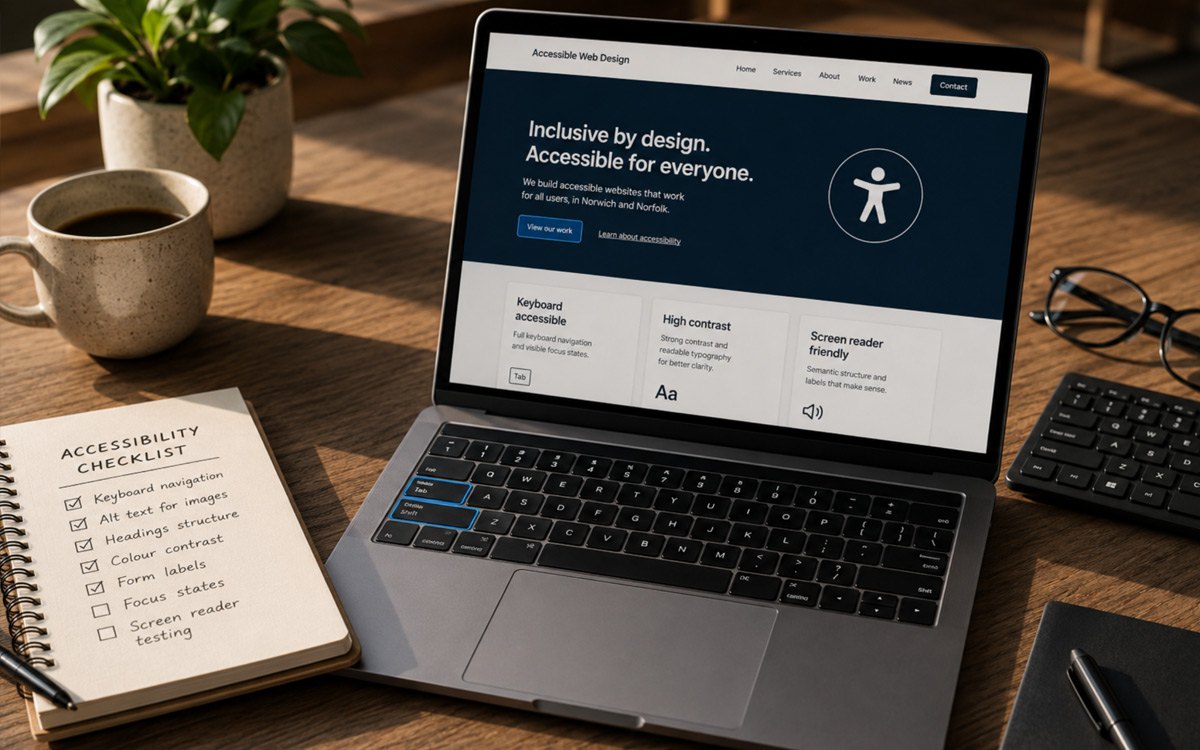
Why so many sites quietly fail
Most websites that fail accessibility do not fail on purpose. They fail because of how they were assembled. A site built from an off-the-shelf theme and a stack of plugins inherits the accessibility - good or bad - of every one of those parts: the theme author's markup, each plugin's widgets, the page-builder's output, a third-party booking or cookie tool dropped in near the end. Nobody in the room chose those defaults, and when one of them has an accessibility problem, the honest answer is often to raise a support ticket and wait on someone else's roadmap.
That is not an argument that off-the-shelf platforms cannot be made accessible - they can, with care and effort. It is an argument about control and cost. When your accessibility depends on parts you do not own, fixing a problem means working around a layer you cannot change - which is exactly why so many sites are patched up to the line for an audit and then drift back below it the moment new content is added.
It is also why the shortcut you have probably been offered does not work. The little accessibility button in the corner of the screen, with its panel of switches, is a third party's script editing the page inside the visitor's browser - so it changes what is on screen and leaves your site exactly as it was. We have written up why in full.
How to check your own site today
You do not need a specialist to get a first read on your own site. Five checks, none of which cost anything:
- The keyboard test. Put the mouse aside. Press Tab repeatedly from the top of the page. Can you reach every link, button and field? Can you always see which one is focused? Can you open the menu and submit the contact form without touching the mouse? If focus vanishes or gets trapped, that is a fail.
- The zoom test. Zoom to 200% (Ctrl or Cmd and the plus key). Does the text reflow and stay readable, or does content overlap, clip or disappear?
- The contrast check. Grey-on-white and pale-text-on-pale-colour are the usual culprits. A free tool like the WebAIM Contrast Checker tells you whether your body text clears the 4.5:1 minimum.
- An automated scan. Run a free tool - the WAVE extension, Lighthouse (built into Chrome's developer tools), or the axe extension. These catch perhaps a third to a half of issues automatically; a clean automated score is necessary but not sufficient.
- The screen-reader spot-check. Turn on VoiceOver (Mac) or Narrator (Windows) and try to read your homepage and use your main menu with your eyes closed. It is humbling, and instructive.
An honest caveat: automated tools cannot certify a site. Real conformance needs human testing with assistive technology. But these five checks tell you very quickly whether you have a small tidy-up or a serious problem.
Accessible web design in Norwich and Norfolk
We are a Norwich web design and software company, and we have built for the web since 2000 - long enough to have watched accessibility move from an afterthought to a requirement. We build every site to meet WCAG 2.2 AA as standard, not as a paid extra bolted on at the end for the clients who happen to ask.
We can do that credibly because we own our platform, OliveCore, outright - every line of it. When accessibility depends on the markup a component produces, we control that markup; when a requirement means changing a component, a template or the editor itself, the decision and the code are ours. So an accessibility fix is something we make at source, not a ticket we raise with a theme author. For a Norfolk council, NHS body, university or charity that legally needs AA, that is the difference between a site that is accessible by design and one remediated to the line and billed for the privilege.
We are honest about the edges, too: a browser, a third-party service or an embedded tool someone else supplies can introduce constraints, and we flag those rather than hide them. You can read exactly how we approach it, including what we do and do not claim, on our accessible web design page.
If you are commissioning a website in Norwich or Norfolk - especially for a public-sector or regulated organisation - the single most useful question you can put to any agency is simple: what accessibility standard does the site meet, and can you show me? Most cannot answer it. We can.