Website maintenance should be a named list of work, not a comforting line on an invoice. At minimum, somebody should own updates, backups, restore tests, monitoring, renewals, access and the response when something fails. The plan should say how often those things happen, what evidence you receive and what is not included. Hosting may be bundled with it, but hosting and maintenance are not the same job.
- The honest answer: actions, frequency, owner and evidence
- Updates and patching
- Backups and restore tests
- Monitoring the journeys that matter
- Renewals, access and technical ownership
- What is normally not included
- The free maintenance diagnostic
- What a useful report looks like
- What we are not claiming
- Our position
The honest answer: actions, frequency, owner and evidence
Three services are often sold under one vague word. Hosting is the infrastructure that keeps the site online. Support is access to somebody who will answer a question or investigate a problem. Maintenance is the planned work that reduces the chance of the problem in the first place. One supplier may provide all three, but paying for one does not prove you have the others.
A real maintenance plan can answer four questions for every task: what is done, how often it is done, who owns it and what evidence the client receives. “We keep everything up to date” is not a plan. “We review core, runtime and dependency updates weekly; critical security fixes are triaged the same working day; changes are tested with a rollback available; the monthly report lists versions and results” is.
The exact frequency should fit the site. A brochure site that changes twice a year and a recruitment platform handling applications should not be squeezed into the same care package. But the headings below apply to both.
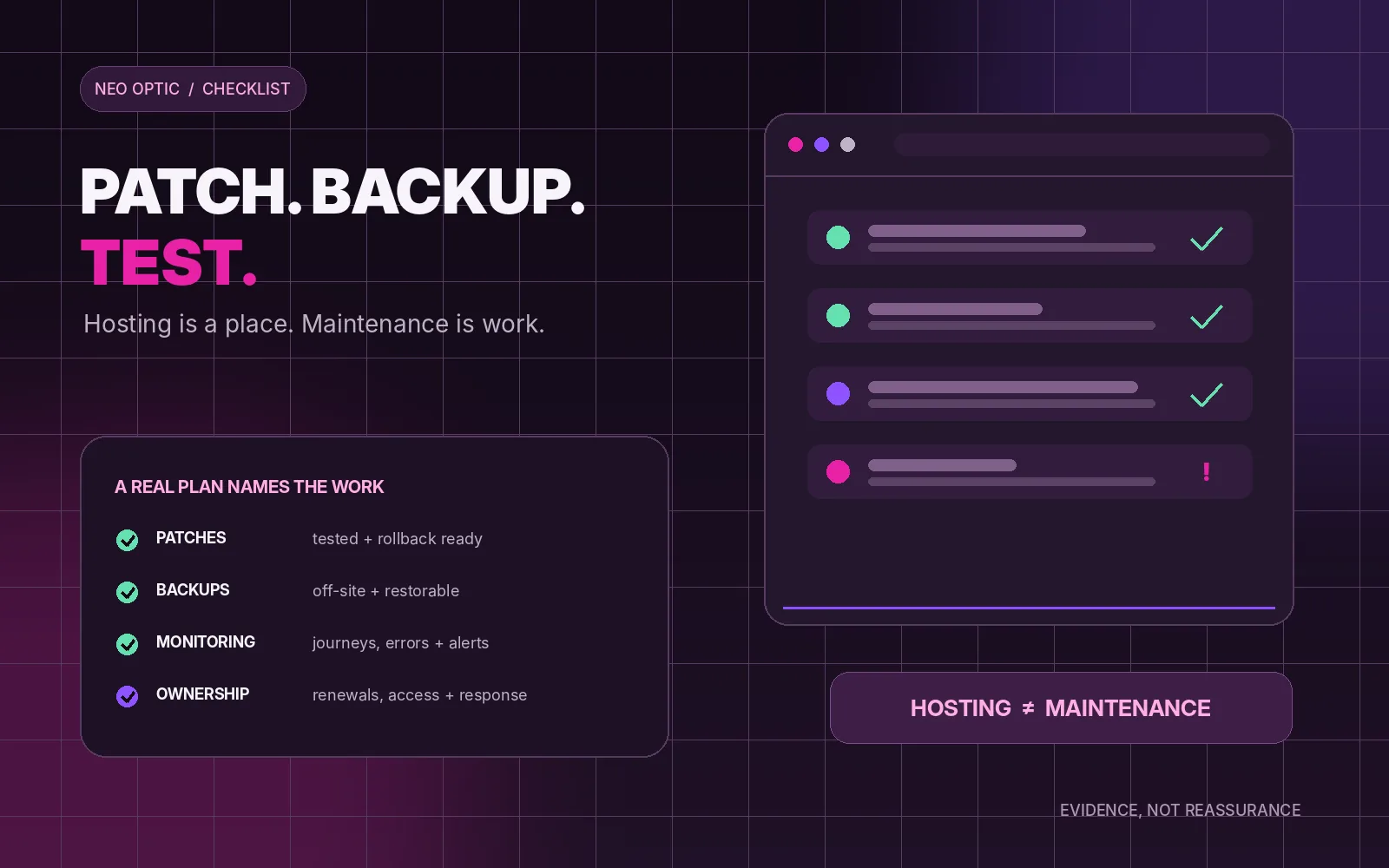
Maintenance is work you can name and verify. Hosting is where the site lives. A monthly fee with no scope, owner or evidence may be support, insurance or nothing at all.
Updates and patching
The maintainer needs an inventory before they can update anything: the content management system or application framework, runtime, server software, database, themes, plugins, packages and any third-party code that can affect the live site. They also need to know which versions are actually in production. A spreadsheet that was correct at launch is not enough unless somebody keeps it current.
The default should be to apply supported updates promptly. The National Cyber Security Centre's current vulnerability-management guidance says organisations should update by default and apply updates as soon as possible. It also recognises the need for controlled testing and staged rollout. Those two ideas belong together: do not ignore updates for fear of breakage, and do not click them blindly on the only live copy of the site.
A sensible process includes:
- a way to receive vendor security notices and identify which sites are affected;
- a defined response for actively exploited or critical vulnerabilities;
- a staging copy or other safe route to test normal updates;
- a recent backup and a clear rollback method before material changes;
- a check of the important user journeys after deployment; and
- a record of what changed, when, by whom and with what result.
Automation is useful. It is not ownership. An automated update that fails silently, or succeeds technically while breaking the enquiry form, still needs somebody to notice and act.
Backups and restore tests
A backup is only valuable if it contains everything needed to recover the service and somebody has proved that it can be restored. For a typical website that means the database, uploaded files, application or theme files, configuration and the information needed to reconnect external services. For a bespoke system it may also include scheduled jobs, encryption keys, storage buckets and deployment configuration.
The schedule should be based on how much data the business can afford to lose. A brochure site may change weekly. A busy application can accept new records every minute. Keeping one nightly copy in the same hosting account is not the same as having a recovery plan.
Good backup arrangements normally include off-site or otherwise isolated storage, several retained versions, protected access and monitoring of failed jobs. When choosing a managed service provider, the NCSC specifically recommends asking for automated off-site backups and regular testing of the restore process. Its backup guidance also stresses version history and routine restore testing so a later corrupted copy does not quietly replace every usable one.
Ask for the date and result of the last restore test. “The backup ran successfully” tells you that files were written somewhere. It does not tell you that the website, data and configuration can be brought back together under pressure.
Monitoring the journeys that matter
Uptime monitoring is the beginning, not the end. A page can return a cheerful “200 OK” while the contact form drops every message, search returns nothing, a payment callback fails or an overnight import has been stuck for three days.
The monitoring should reflect what the site is for. That may include:
- the home page and key public pages responding correctly;
- forms reaching the intended inbox or system;
- checkout, registration, login, search or application journeys completing;
- application errors, failed background jobs and unusual log activity;
- database, storage, memory or disk capacity approaching a limit;
- SSL certificate, domain and integration failures; and
- material changes in speed or availability.
Every alert needs a destination and a response. Who sees it at 9am? What counts as urgent? When is the client told? What happens outside the support window? Monitoring without a named recipient is an alarm in an empty room.
Renewals, access and technical ownership
Websites depend on things that expire even when the code is unchanged: domains, plugin licences, SSL certificates, email services, map or search APIs, payment credentials and hosting contracts. Many renew automatically, which is useful until the card belongs to somebody who left two years ago.
The maintenance record should say who owns each account, which email address receives notices and what the renewal date is. The business should know where the domain is registered and who controls DNS. Access should use individual accounts and two-step verification where available; old users and agency accounts should be removed when they no longer need access.
There should also be a practical handover route: source repository, current production version, deployment instructions, backup location and an emergency contact. This is the part that lets another competent developer take over without rebuilding the site simply to understand it.
What is normally not included
Maintenance is not an unlimited promise to change the website. Most plans reasonably exclude some or all of the following:
- new pages, content entry and routine design changes;
- new features, integrations or changes to business logic;
- search-engine optimisation campaigns, advertising or analytics interpretation;
- full accessibility audits and remediation projects;
- major framework migrations or rebuilding an abandoned theme;
- third-party licence, messaging, storage or transaction charges; and
- recovery from an incident that began before the maintenance agreement.
Those exclusions are not a problem if they are written down. The problem is discovering them after something fails. A good agreement says what is covered, what triggers a separate estimate, the response window and whether unused support time carries forward.
The free maintenance diagnostic
You do not need to be technical. Send these questions to whoever currently looks after the site and ask for plain answers:
- What maintenance work was completed last month? Ask for versions, dates and results rather than “all fine”.
- Which parts of the software stack are you monitoring for security updates and end-of-support dates?
- When was the last successful restore test? What was restored, where, and how long did it take?
- What is backed up, where is it stored and how long are older copies retained?
- Which user journeys are monitored? Does that include forms or transactions, or only whether the home page loads?
- Who receives alerts and what is the response for a critical issue?
- Who controls the domain, DNS, hosting, source code and third-party accounts?
- What is specifically excluded, and how are extra costs agreed?
You can run three harmless checks yourself. Submit the contact form and confirm the message reaches the correct person. Find the domain-renewal notice and make sure it goes to a current address. Ask for the most recent maintenance report and restore-test result. Do not use this exercise as a reason to press update buttons on the live site.
If the answers are clear and supported by evidence, the plan is probably real. If every answer is “the host does that”, ask the host. In many cases the host maintains the server, not the website sitting on it.
What a useful report looks like
A maintenance report does not need to be long. One page can be enough if it records:
- updates reviewed and applied, with old and new versions;
- backup status and the last restore-test date;
- uptime, monitored journeys and any failures;
- security or error alerts investigated;
- renewals due and support dates approaching; and
- open risks, recommendations and work requiring approval.
The report is useful because it turns reassurance into evidence. It also builds a history. When a framework upgrade or replacement becomes necessary, the decision is based on a visible trend rather than a surprise invoice.
What we are not claiming
We are not claiming every website needs the same monthly routine. The risk, change rate and business importance should set the plan.
We are not claiming manual work is better than automation. Good automation removes repetitive work. It still needs monitoring, ownership and a route for exceptions.
We are not claiming maintenance guarantees that nothing will ever go wrong. It reduces avoidable risk, shortens recovery and makes responsibility clear. It cannot promise zero incidents.
We are not claiming maintenance can rescue any architecture forever. Sometimes the honest maintenance recommendation is a planned framework upgrade or rebuild.
And we are not claiming a low-cost plan is automatically poor. A small, well-defined service can be excellent. Vagueness is the warning sign, not the price by itself.
Our position
Our maintenance conversations start with the list above. For OliveCore, owning the platform means we can keep the dependency set deliberately small, track the framework lifecycle and apply platform fixes across the sites that use it. For a bespoke application, the plan is written around that system's data, integrations and critical journeys rather than squeezed into a generic “care package”.
We do not describe a site as maintained because it is on our server. We want to be able to show what was patched, what was backed up, what was tested, what is monitored and what still needs a decision. Evidence is more useful than reassurance.
If you already pay for maintenance, use the eight questions above. If the answers are missing, send us the scope or latest report and we will give you a straight read on what it covers. You may need a better plan. You may simply need the current plan written down properly.